View Categories

In-House SMS Marketing

2 min read

(Seller Support Article)

In-House SMS Marketing allows sellers to send promotional text messages directly to eligible buyers using Kingston Express’s built-in messaging system. SMS campaigns are designed for high visibility, urgency, and fast conversion.

All SMS delivery, buyer consent management, and compliance are handled by Kingston Express.

https://cdn.prod.website-files.com/60d04aaa36f3d293e9d817c2/63513499e13aa782b8951ebe_Attributed%20revenue.webp
https://cdn.prod.website-files.com/65ce1f0a85671121f6dab2e8/67ed02511d118113b610e0b0_undefined-May-31-2023-11-44-31-8138-PM.png
https://blog.recart.com/wp-content/uploads/2022/12/SMS-Marketing-Example-from-Valentines-Day-Her-Juice-Bar.png

4


What Is In-House SMS Marketing? #

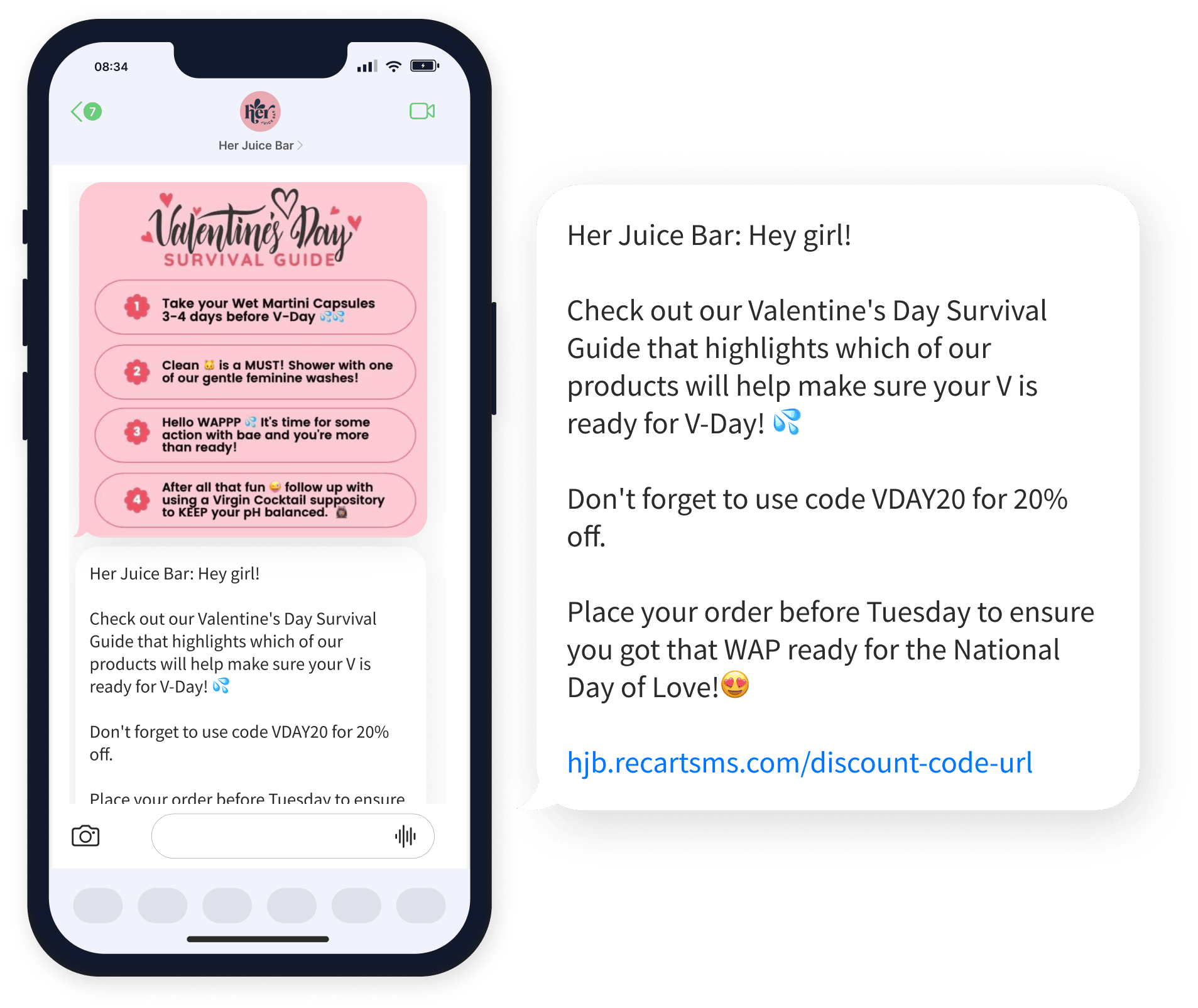
SMS Marketing lets sellers communicate promotions directly to buyers via text message. Messages are sent only to eligible and opted-in buyers, based on Kingston Express messaging rules.

SMS is best used for:

  • Time-sensitive promotions
  • Flash sales
  • Back-in-stock alerts
  • Campaign reminders

Because SMS is highly visible, usage is monitored to protect buyer experience.


Who Can Use SMS Marketing? #

SMS Marketing availability may depend on:

  • Seller account standing
  • Policy compliance history
  • Campaign eligibility
  • Messaging limits

Some sellers may see usage caps based on performance and buyer engagement.


What Buyers Receive #

Buyers may receive SMS messages that include:

  • Promotion details
  • Product or store references
  • Call-to-action links
  • Limited-time reminders

Buyers can opt out of promotional messages at any time.


How to Create an SMS Campaign #

https://www.yotpo.com/wp-content/uploads/2021/08/dashboard%402x.png
https://cdn.prod.website-files.com/60d04aaa36f3d293e9d817c2/6351235d8476364ef562a744_Promotional%2C%20transactional%2C%20and%20relational%20messages.webp
https://images.ctfassets.net/mb2ty0185mk8/CB5G383GZdig7GilO5FON/6dea4cf01270355d21f1e6d4ce0d757a/smsmarketing-selectaudience.png

4

Follow these steps:

  1. Log in to your Seller Dashboard
  2. Go to Marketing & Campaigns
  3. Select SMS Marketing
  4. Click Create SMS Campaign
  5. Choose a campaign objective
  6. Write your SMS message
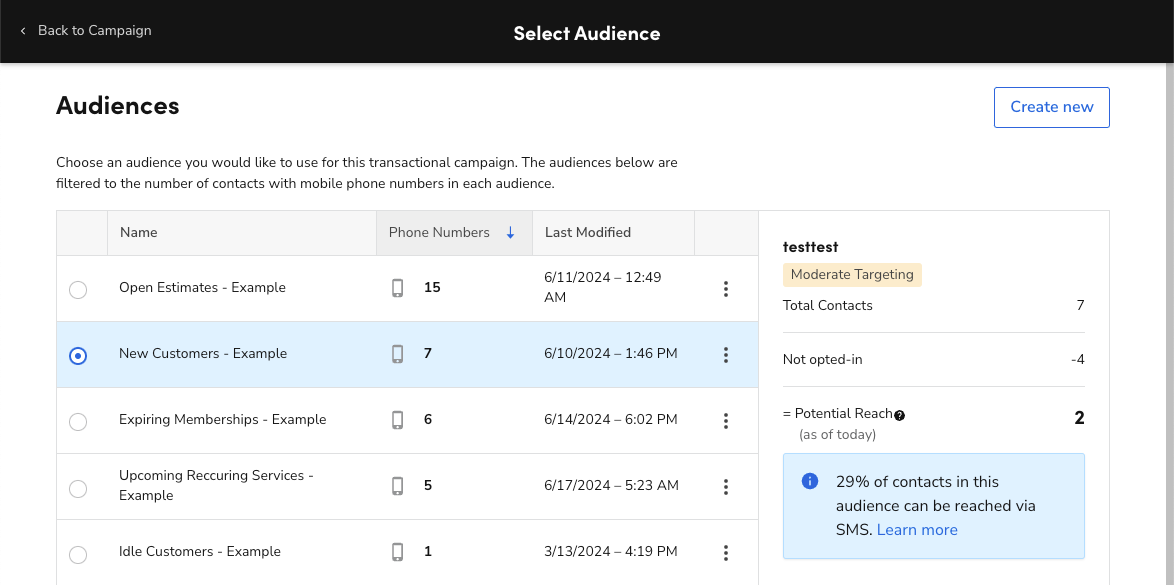
  7. Select eligible buyer audience
  8. Schedule or send immediately
  9. Review and confirm

Once confirmed, messages are queued and delivered automatically.


Writing an Effective SMS Message #

SMS messages should be:

  • Short and clear
  • Action-oriented
  • Easy to understand

Example Structure: #

  • Promotion or value
  • Urgency or timeframe
  • Clear call to action

Example:
“Flash Sale! 20% off selected items today only. Shop now before it ends.”


Audience Targeting #

Audience selection may be based on:

  • Past buyers
  • Recently active buyers
  • Product or store engagement

Exact targeting options depend on eligibility and campaign type.


Scheduling & Timing #

Sellers can:

  • Send SMS immediately
  • Schedule messages in advance

Timing Best Practices: #

  • Avoid very late or early hours
  • Align messages with campaign start times
  • Do not resend the same message repeatedly

Usage Limits & Controls #

To protect buyers:

  • SMS campaigns may have daily or monthly limits
  • Repeated low-engagement campaigns may reduce eligibility
  • Excessive messaging can result in restrictions

Kingston Express automatically enforces messaging caps.


Compliance & Buyer Consent #

  • Buyer opt-in and opt-out are fully managed by Kingston Express
  • Sellers do not see buyer phone numbers
  • Sellers cannot message buyers outside the system
  • All messages are monitored for policy compliance

Non-compliant messaging may lead to tool suspension.


Combining SMS with Other Marketing Tools #

SMS campaigns work best when combined with:

  • Seller discounts
  • Vouchers & coupons
  • Platform campaigns
  • Sponsored ads

SMS should reinforce, not replace, other promotions.


Tracking SMS Campaign Performance #

https://cdn.prod.website-files.com/60d04aaa36f3d293e9d817c2/63513499e13aa782b8951ebe_Attributed%20revenue.webp
https://www.slidegeeks.com/media/catalog/product/cache/1280x720/d/a/dashboard_to_monitor_sms_marketing_weekly_performance_in_depth_overview_of_mass_rules_pdf_slide01.jpg
https://blog.recart.com/wp-content/uploads/2022/11/SMS-Click-Through-Rates-by-Source.png

4

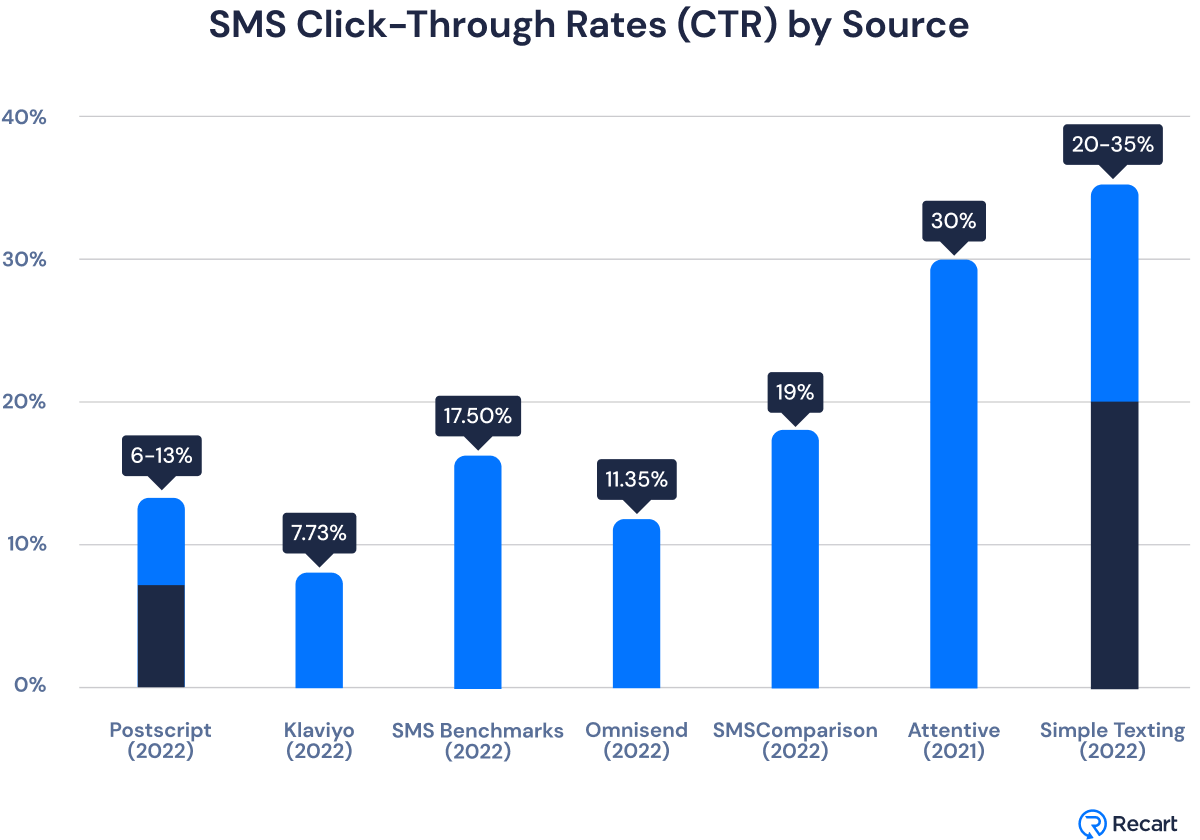
After sending, sellers can track:

  • Messages sent
  • Delivery rate
  • Click-through rate (CTR)
  • Orders generated

Performance data is available under Analytics & Reports.


Best Practices for SMS Marketing #

  • Use SMS only for high-value promotions
  • Create urgency without being misleading
  • Limit message frequency
  • Combine with fast fulfillment options
  • Monitor engagement metrics regularly

Using Dispatched by Kingston Express can improve buyer satisfaction after SMS-driven order spikes.


Common Issues & Troubleshooting #

My SMS campaign didn’t send
Check eligibility, usage limits, and scheduling time.

Low engagement or clicks
Message may be too long, unclear, or sent at a poor time.

SMS tool is unavailable
This may be due to eligibility limits or compliance review.


Policy & Compliance #

  • SMS must be promotional and relevant
  • Misleading claims are not allowed
  • Spam-like behavior may result in restrictions

Repeated violations can lead to permanent loss of SMS access.


Need Help? #

If you need help with SMS Marketing:

  • Contact Seller Support
  • Provide campaign name or date
  • Include screenshots if available

Leave a Reply

Your email address will not be published. Required fields are marked *

Main Menu